
Guide · Your data
Exporting your voters
Sooner or later the voter data has to leave the app — for a mail vendor, a phone tool, a spreadsheet, a hand-off to the next cycle. There are two places to get it, they produce the same shape of file, and both ask you to accept the terms that come with voter data before anything downloads. This page is the whole of it.
One ZIP, two tables, every time. voters.csv is one row per voter, with where they live and where their mail goes. contacts.csv is one row per contact attempt. Exports are for owners and admins only, and they stay available whatever your billing state — it is your organization's data.
1. Two places, one file
The Voters area exports everyone your organization holds. A campaign's page exports just the people that campaign is targeting, with their current canvass status. Pick by what you need the file for: a full backup or a hand-off wants the organization; a mail drop or a phone list for one effort wants the campaign.
2. Export everyone: Admin → Voters → Export
Click Orgs at the top, click your organization, then the Voters tab. The overview is the whole file — every voter you hold, every household, the few we could not place on the map. Click Export.
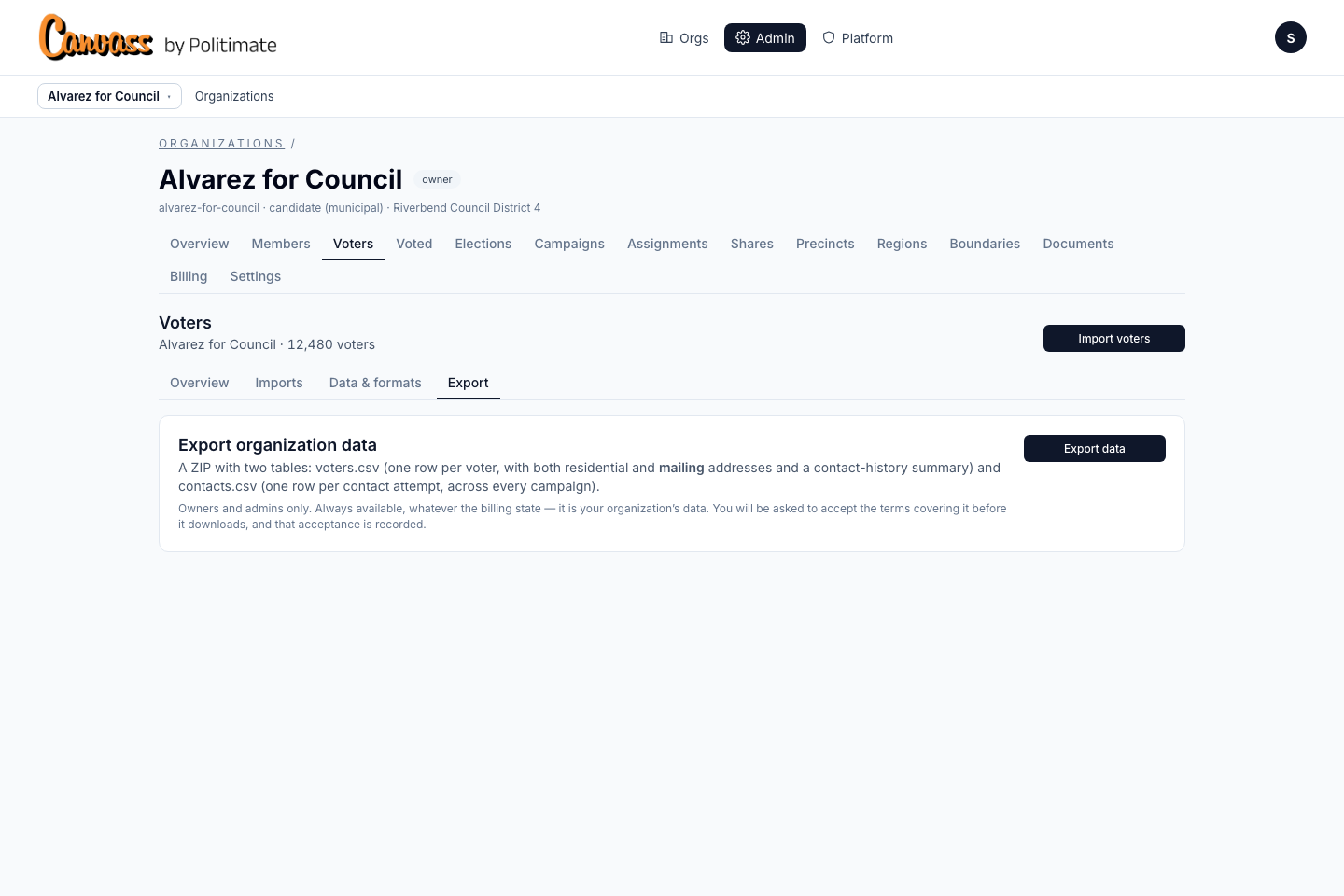
Click Export data. The app counts first, so you see what is in the file before you download it: two files, with the row count for each.
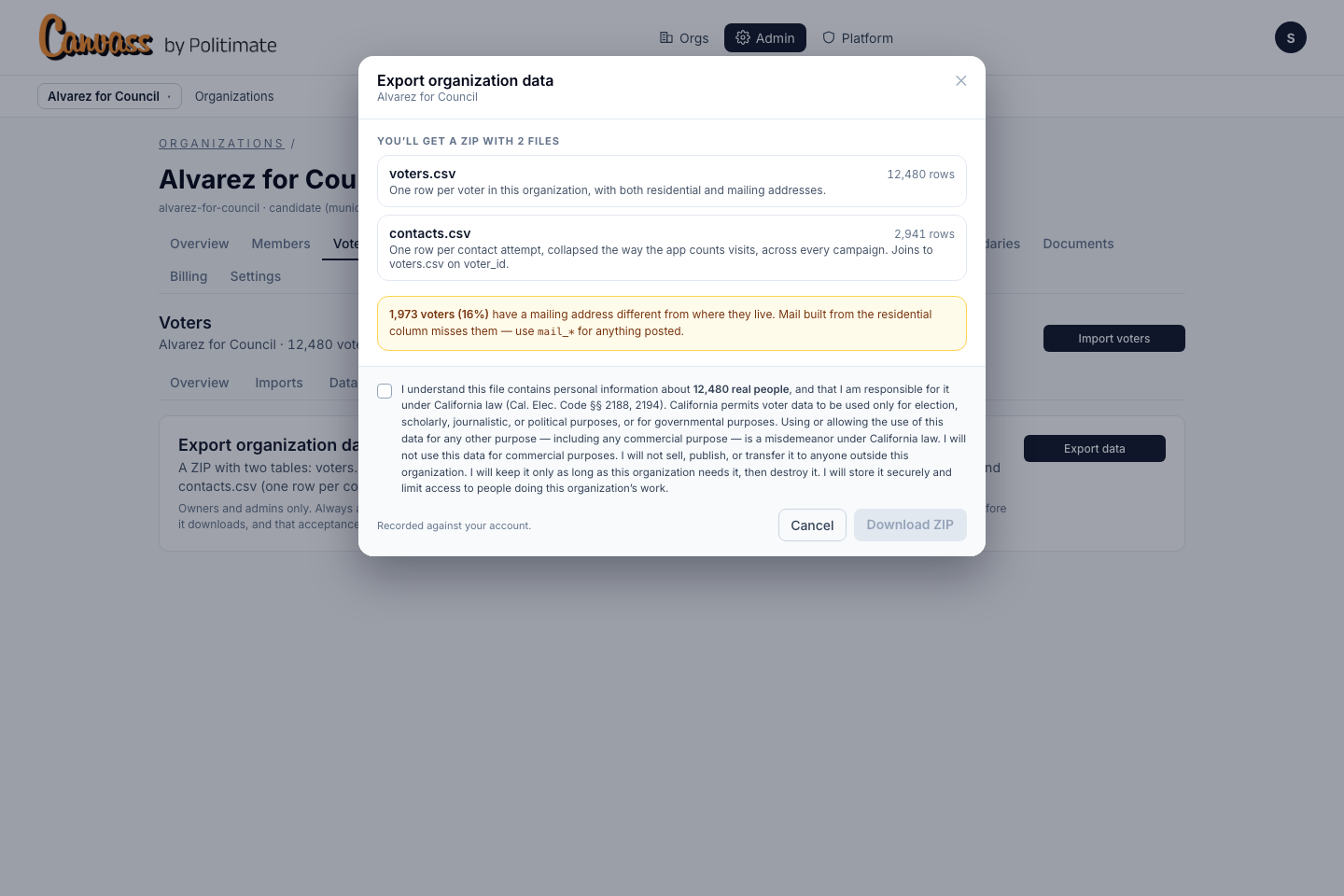
Read the yellow line. Roughly one voter in six gets mail somewhere other than where they live. Build a mailing from the residential columns and you miss all of them — use the mail_* columns for anything you post. That line is the reason both addresses are in the file.
Then the terms. The file is personal information about real people, and California law says what you may do with it: election, scholarly, journalistic or political work, never commercial. Tick the box to say you understand. The tick is recorded against your account, with the words you accepted and the number of people in the file.
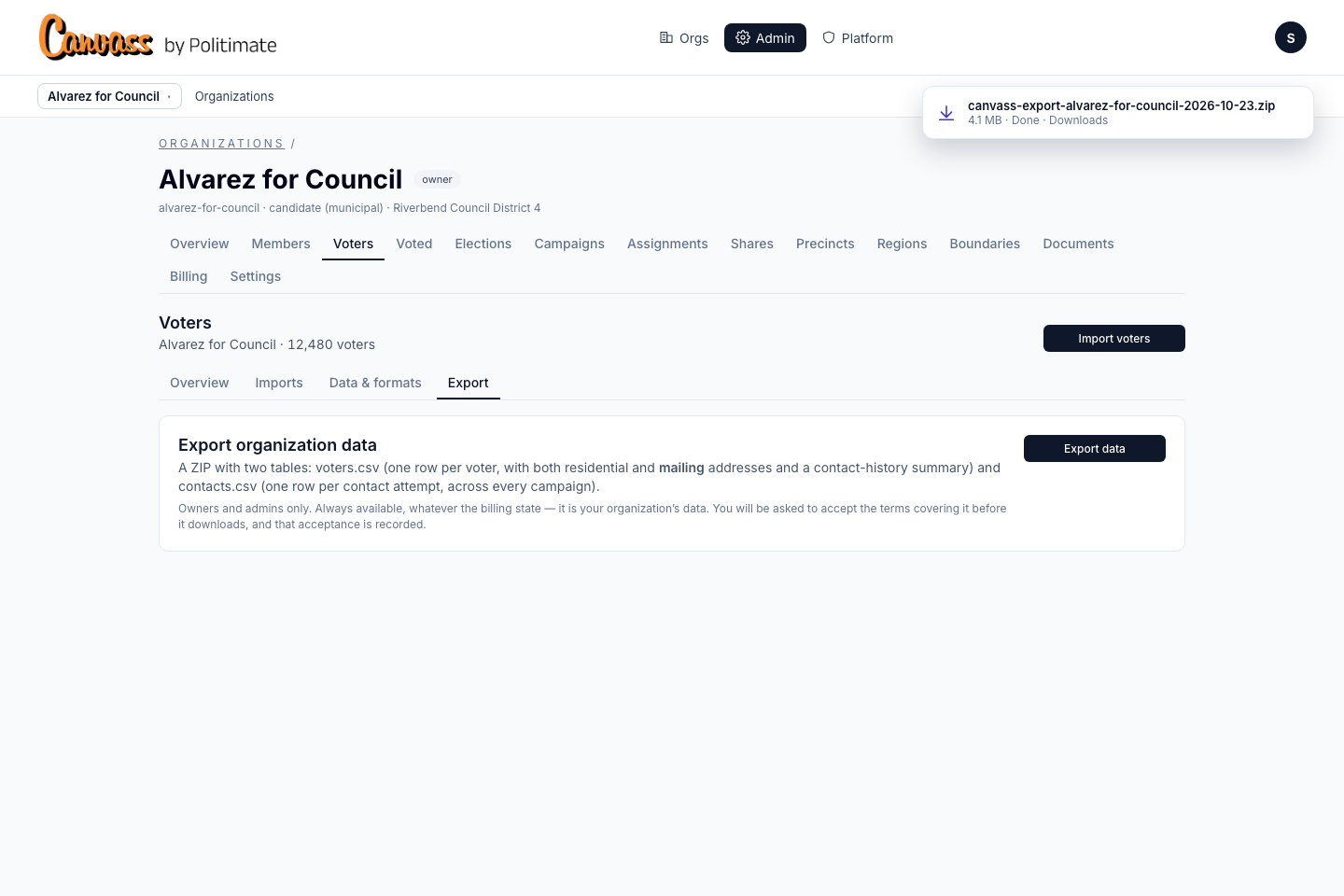
3. Export one campaign
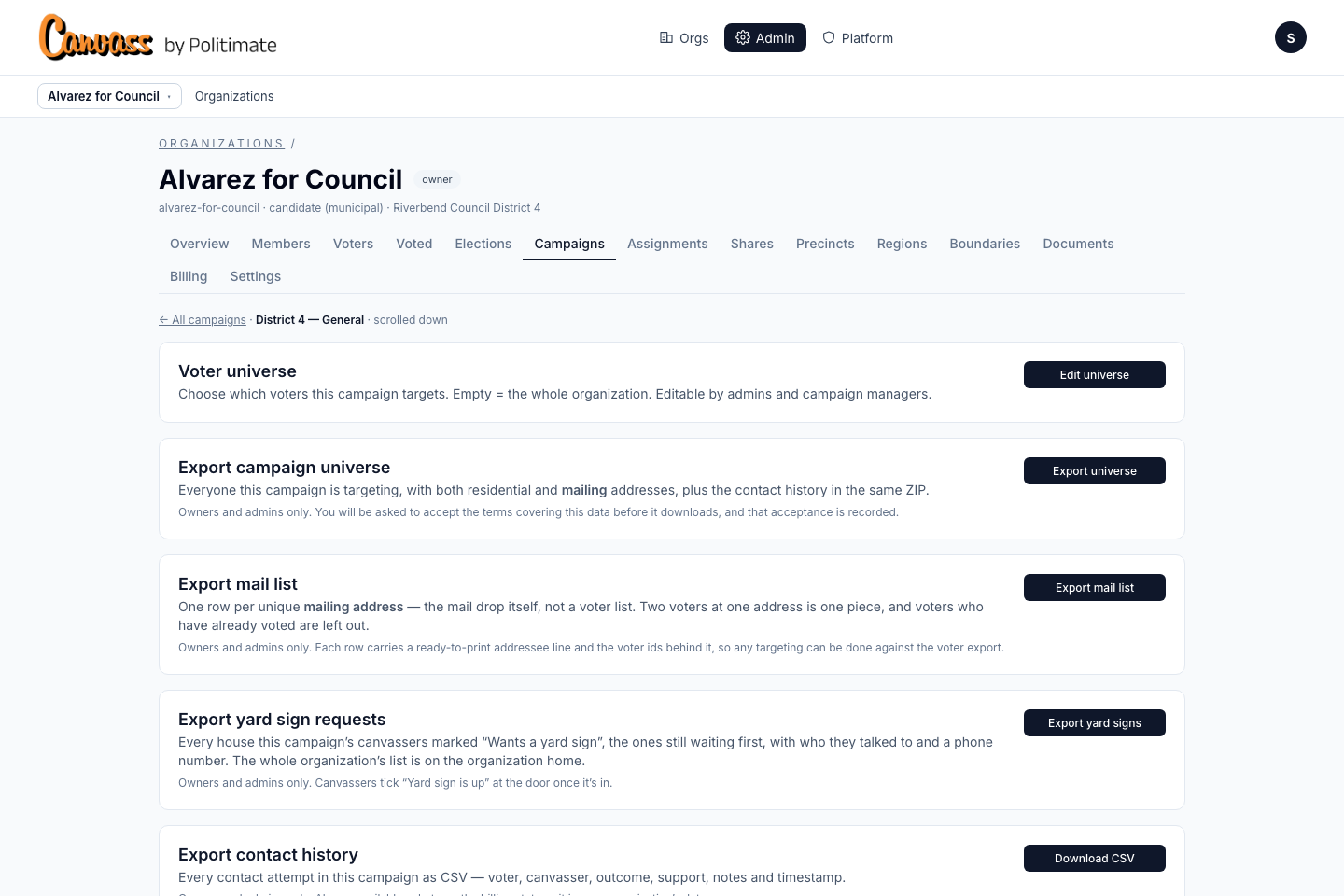
In the admin area, click Campaigns, click the campaign, and scroll down past its settings. The Voter universe card is where this campaign's slice of the file is defined — everyone, or a set of rules — and narrowing it never removes anyone from the file. Right under it, Export campaign universe: everyone this campaign targets, both addresses, and the contact history in the same ZIP.
Click Export universe. Same sheet, smaller numbers, because this is the campaign's universe and not the whole organization — and here voters.csv carries each person's current canvass status. contacts.csv is this campaign's attempts only: a knock is an answer to the question this campaign asked. Tick the terms, click Download ZIP.
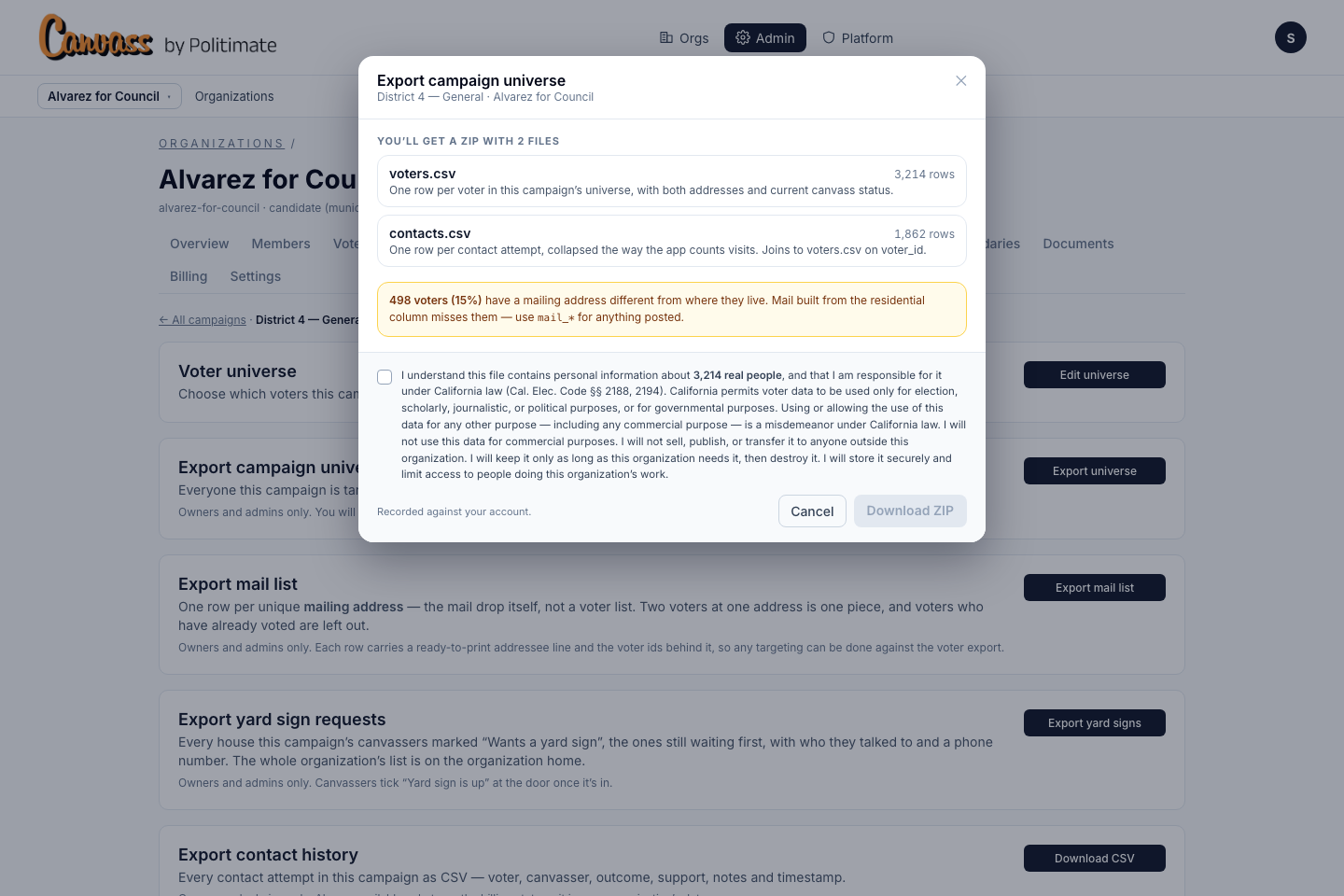
Three more downloads live on the same page. Export mail list is the mail drop itself: one row per mailing address, two voters at one address is one piece, and people who have already voted are left out. Export yard sign requests is a delivery list for whoever is planting signs. Export contact history is every attempt in this campaign as one CSV, a plain download.
4. What's in the files
Open voters.csv. One row per voter. First, who: the voter id, the name, the party, the precinct. Then two addresses: the res_ columns are where they live, where a canvasser knocks; the mail_ columns are where their ballot and their mail go, and mail_differs says true when the two are not the same. On a campaign export the last columns are this campaign's view of the person — the latest result, their support, whether they have voted. On the organization export those are a contact summary instead: how many visits, how many answers, when they were last contacted, and by which campaigns.
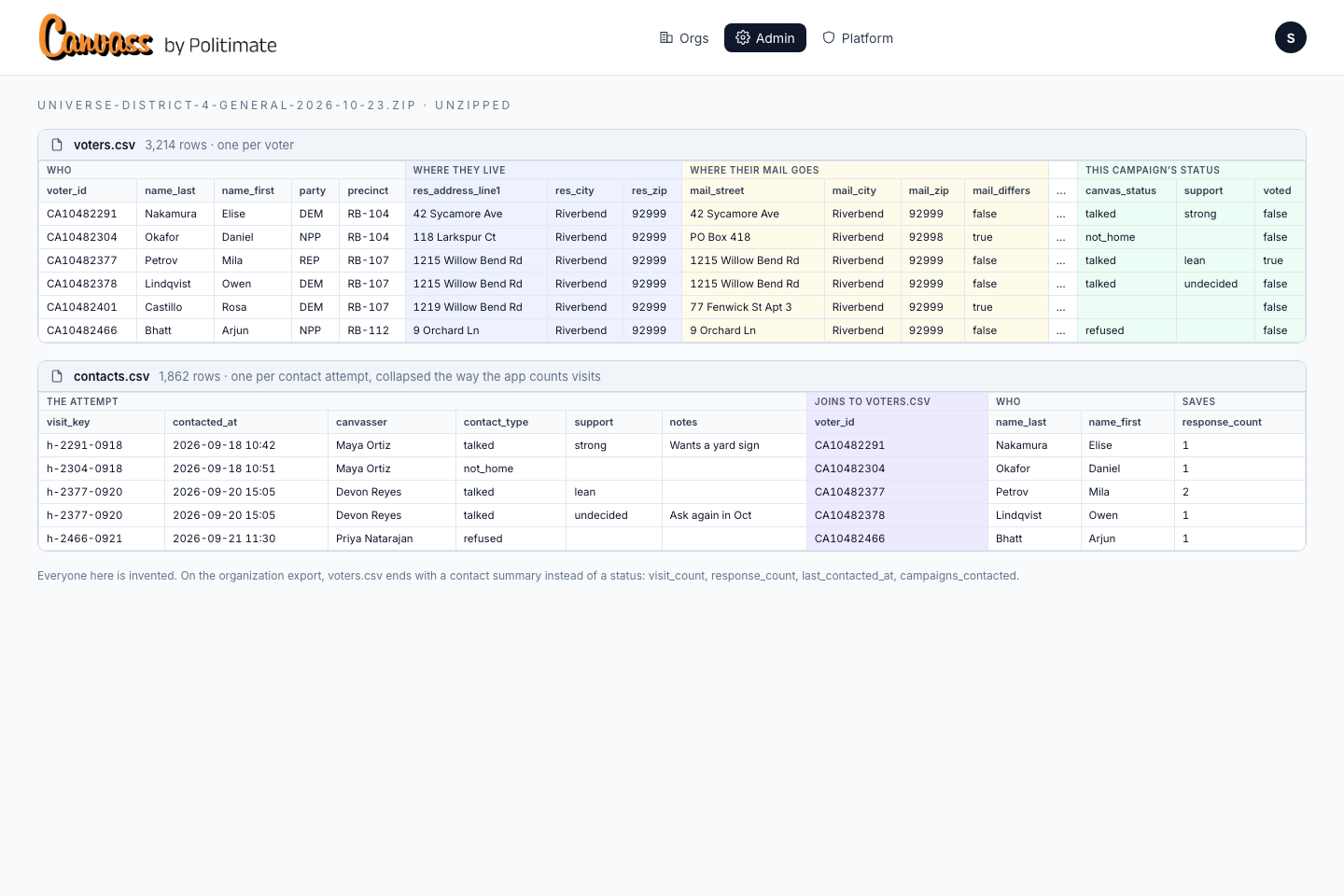
contacts.csv is the attempts: when, who knocked, what happened, what they said. voter_id joins each row back to voters.csv, and response_count says how many saves were collapsed into the row, the way the app counts visits.
5. Keep it safe
The terms you ticked are real obligations, not a click-through. Use the data for the organization's work. Never sell it or hand it outside the organization. Keep it only as long as you need it, then destroy it. Store it where only your people can reach it. And every export is on the record: who, when, and how many people.
Need the file now? Open your export, or the campaign whose universe you want.
Open your Voters export Export a campaign