
Guide · Getting started
Precincts: the map your campaign runs on
Your voters are in. Open the Precincts tab and it says zero. That is not a mistake — it is the one step the app cannot do for you the first time, and everything in a campaign depends on it.
Why there is nothing on the map yet
Every precinct page, every walk list and every piece of turf is built on precincts: the map areas your voters are grouped into. Your voter file gave each voter a precinct code — the county's number. What the app does not have yet is the shape of each precinct on the map.
Importing never draws those shapes on its own the first time. It only redraws them later, when a new file moves voters or changes their codes. So a brand-new organization has voters and no precincts until you do one of the two things below. You only need one.
Not the same as boundaries. A boundary is an optional outline you upload — your district, the city limits — used to clip shapes or filter an import. A precinct is the unit your campaign actually works. You need precincts; boundaries just help.
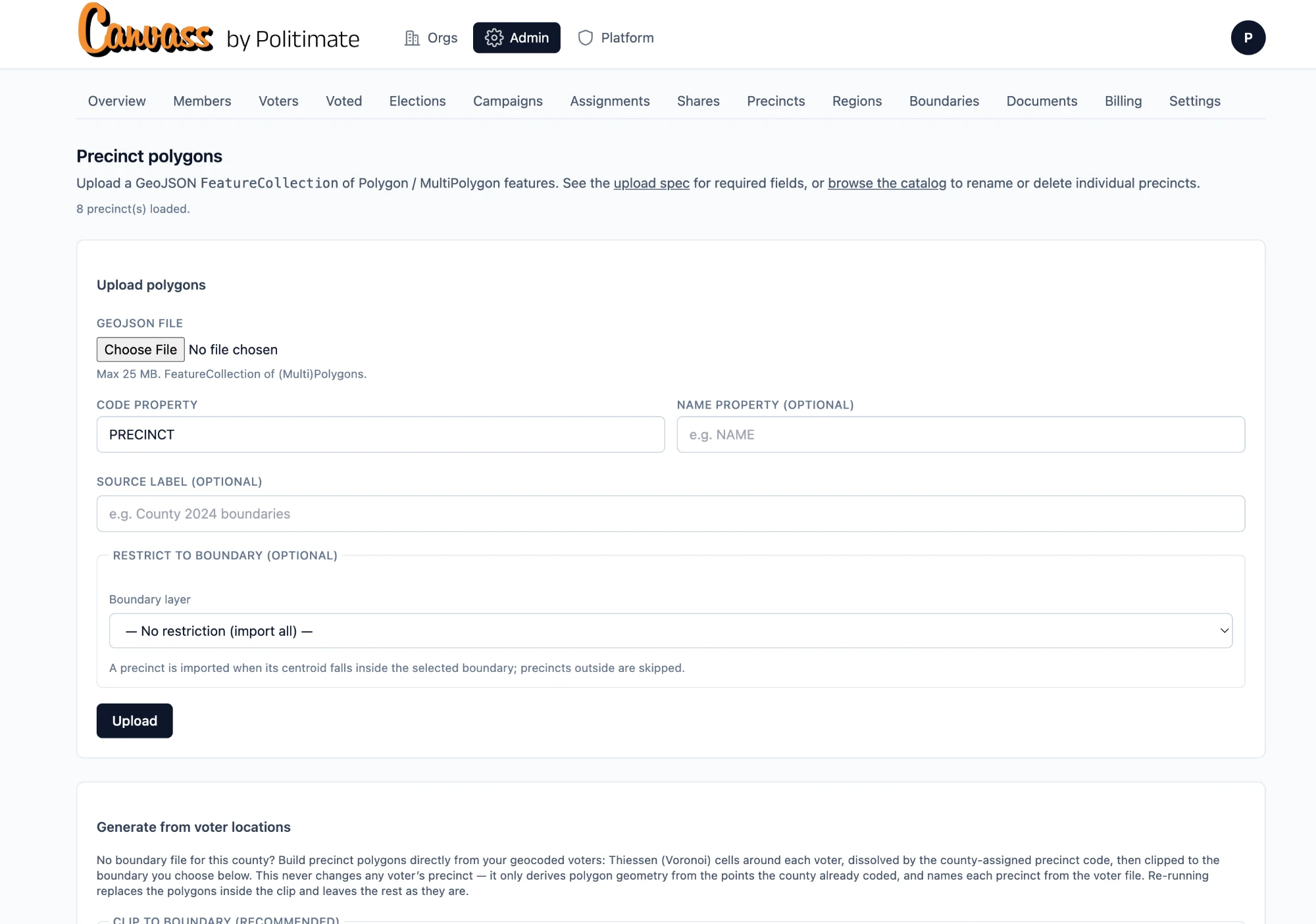
The easy way: generate them from your voters
Choose Generate from voter locations. The app draws a small area around every voter it has placed on the map, merges the areas that share a precinct code, and names each one from your file. Forty-six codes in, forty-six shapes out.
Nobody's precinct changes. This only draws the shape around the code the county already gave each voter — it never reassigns anyone.
Clip it to a boundary — this is the part that matters
Choose Generate from voter locations and the first thing it asks for is a boundary to clip to, marked recommended. Here is why. Without one, each outer shape simply stops 350 metres past the outermost voter — that is the default, and it is fine when your voters sit in one self-contained patch. But wherever your district has a real edge, that guess draws a fuzzy one. Clip to your district's outline and every shape is cut exactly there; nothing spills past it.
A boundary is a file you upload once, on the Boundaries tab — the same kind of GeoJSON described below, but it is your district, not precincts. If you don't have one yet, do that first; it takes a minute.
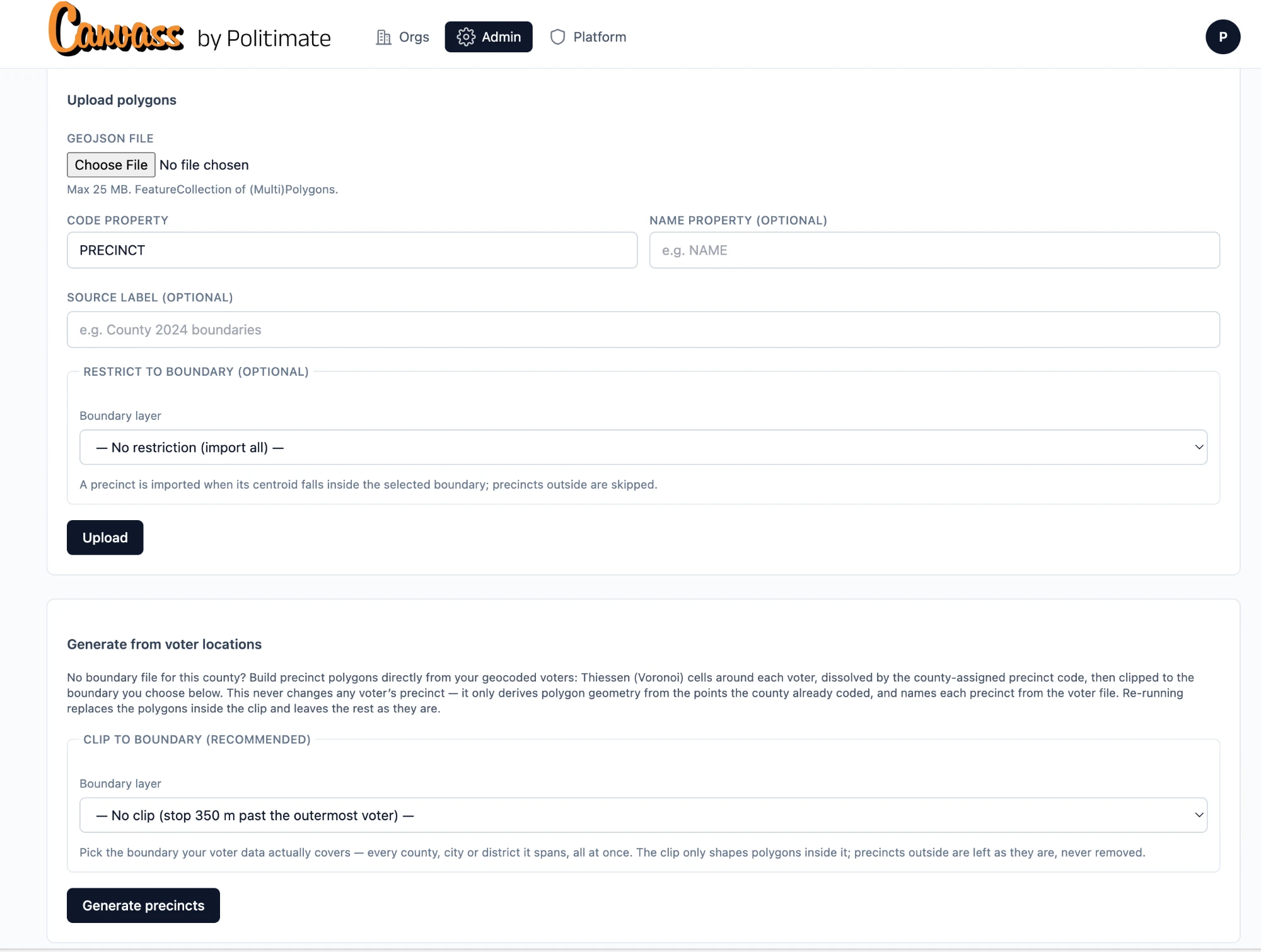
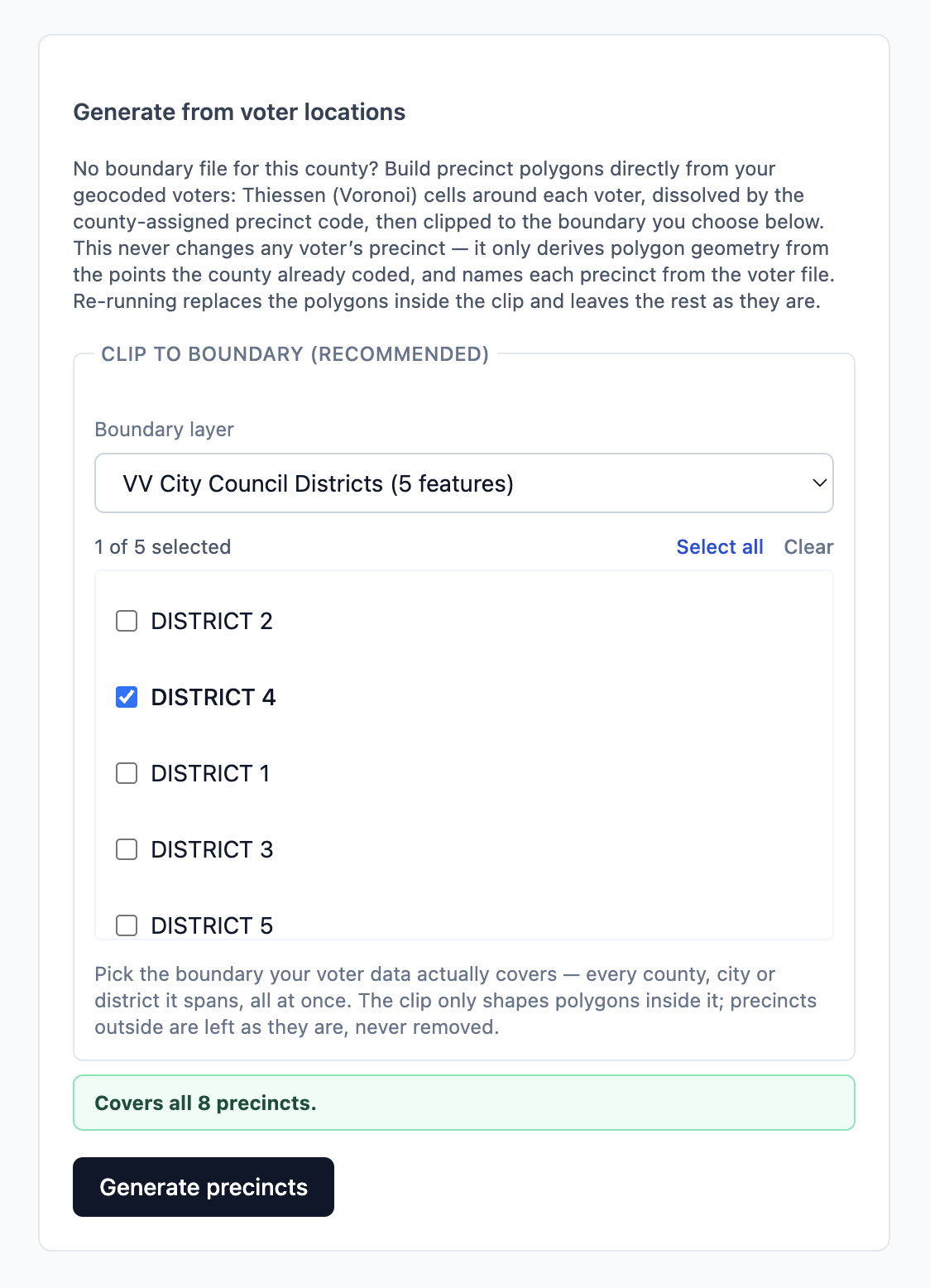
Pick the layer, tick the district, then read the note that appears before you press anything. The app checks the boundary against your precinct codes and tells you what it covers:
- Green — "Covers all 8 precincts." Every precinct code with voters falls inside. Generate.
- Amber — "Covers 1 of 8 precincts. The other 7 lie outside this boundary and will be left exactly as they are — not reshaped, not removed. If your voters span more than one boundary, select every one of them." You have picked a boundary that doesn't cover your voters — the wrong district, or only part of what your file spans. Tick every piece your voters live in.
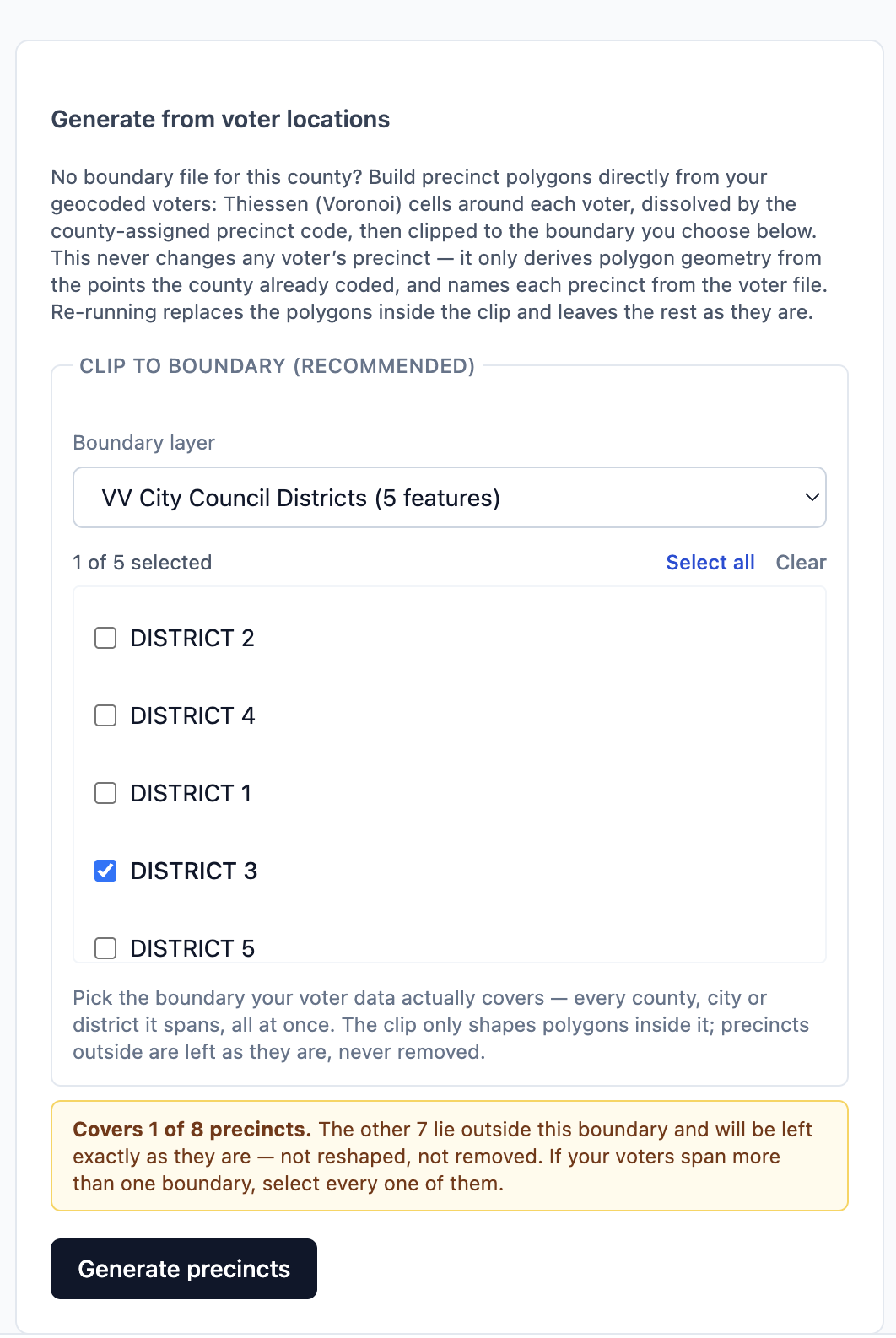
That amber note exists because of a real mistake. An admin once clipped a whole file to the wrong county's outline: it reshaped the seventy precincts that touched the line and, in the app's old behaviour, threw away the other three thousand. The generator now never removes a precinct that still has voters — anything outside the clip keeps its shape, its name and its households, exactly as the note says. Only a code with no voters at all is removed. So the worst case today is a partial job you re-run with the right boundary, not a wrecked map.
Press Generate precincts. It takes seconds, and the message afterwards tells you what happened: how many precincts were made and named, and — if any — how many codes with voters lay outside the clip and were left as they were. Re-running later replaces the shapes inside the clip and leaves everything else alone, and any name you have edited by hand is kept.
The other way: upload the county's own shapes
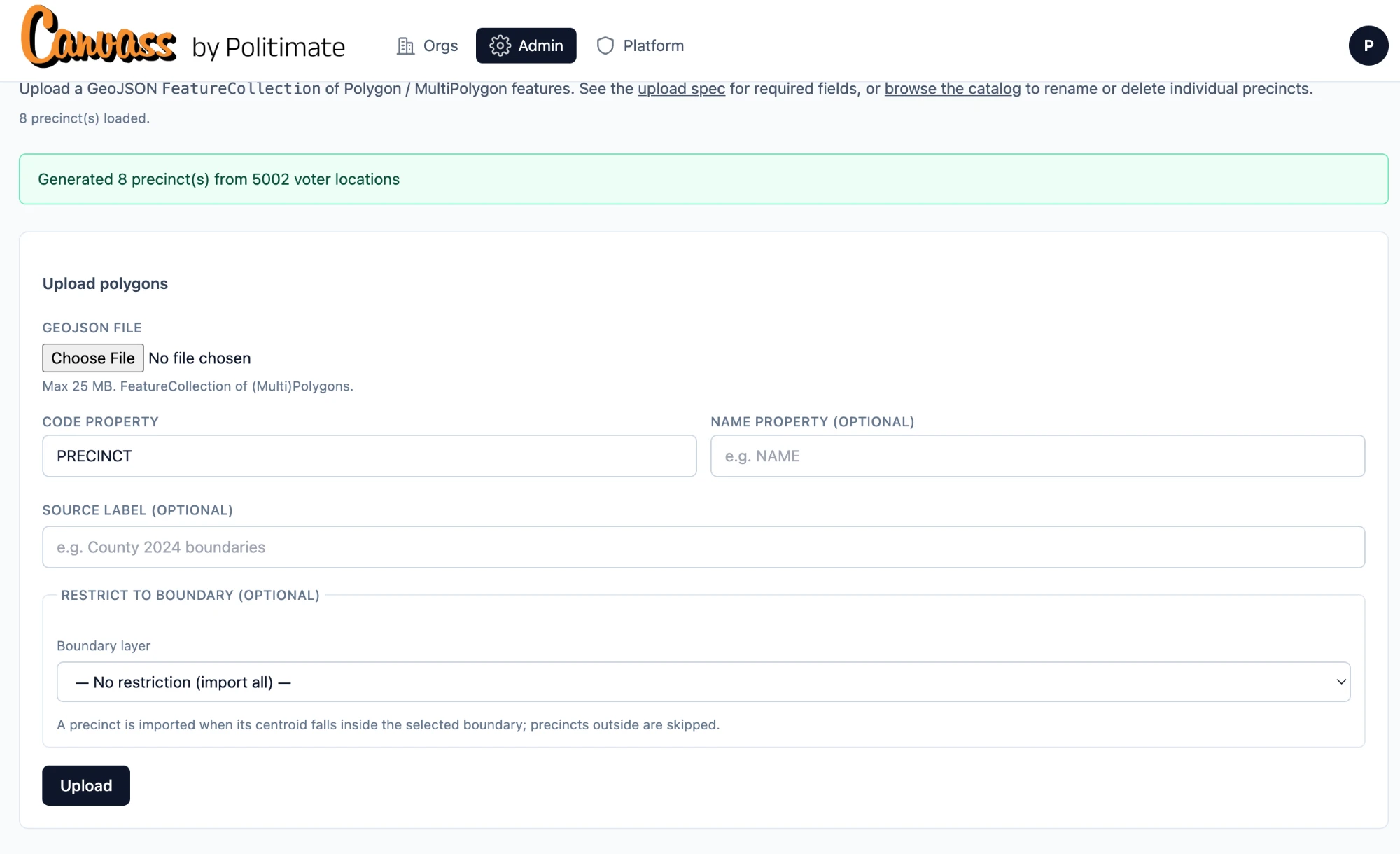
If your county elections office publishes its precinct maps as a file, you can load those instead — they will match the county's lines exactly. Choose Upload polygons. The file has to be:
- A GeoJSON file — a
FeatureCollectionofPolygonorMultiPolygonshapes, up to 25 MB and 20,000 shapes. - In ordinary map coordinates (longitude, latitude — WGS‑84), which is what most county downloads already are.
- Carrying each shape's precinct code in a property — usually called
PRECINCT. Tell the app the property name if the county used a different one. A name property is optional.
Uploading the same code again replaces that shape in place, so it is safe to redo. Shapes missing a code are skipped and reported, not loaded.
After this, the app keeps them current
You do this once. When a later import moves voters or changes their codes, the import tells you before it runs — "the app will automatically regenerate the precinct boundaries from voter locations" — asks you to acknowledge it, and redraws them when the voters have loaded. Canvass status stays attached to each voter through it.
If a precinct page ever says no precincts have voters yet, it means voters have codes but no map position — re-run the import with coordinates, or let the import place them.
← Previous guide: importing voters · Next guide: campaigns and who they talk to →